
For IT companies and MSPs
Run CMMC for every customer, from one screen.
One site for all your customer companies. Your team sees every customer in one place, and each customer sees only their own work.
Every customer, one screen
Every customer on one list.
This is where your team starts. Each customer has one line: which CMMC levels are under way, who their people are, and what needs a check. One press opens that company’s work.
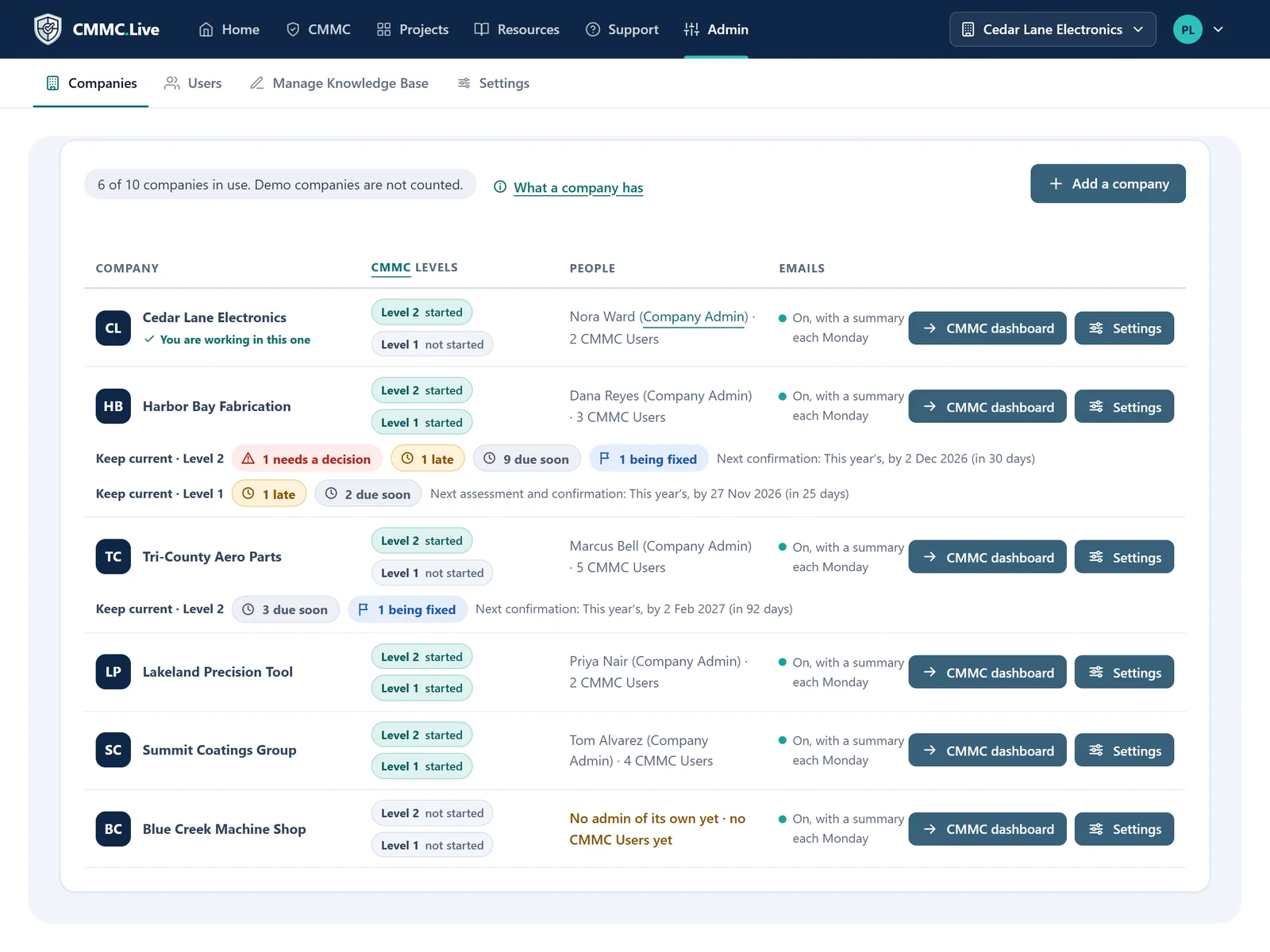
Shown with sample companies.
See who needs you next
Once a customer has reported, its line shows what is late, what is due soon and what needs a decision. Each count opens that list.
Switch from any page
Move between customers from the top of any page. The work, the people and the reports change with you.
Add a customer any time
Add a company, start Level 1 or Level 2, and add its people. Each company comes with its own demo company.
How it works with a customer
From the first meeting to the yearly check.
The same path for every customer, so your team never starts from a blank page.
| First meeting | Bring in what the customer already has, from a spreadsheet, a Trello export or a pasted table. Hand them a gap analysis: what is missing, and what each gap is worth. |
|---|---|
| Set them up | Add the company, its logo and its people. Choose who is in charge of each requirement: your technician or their staff. |
| Do the work | Every requirement in plain steps, with due dates, a to-do list for each person and email reminders. |
| Run the big fixes | Turn a requirement into a project. The AI helper plans the stages, tasks and subtasks, and your technicians work from the board. |
| Write the documents | The AI helper drafts each policy and procedure from a few plain questions. You change it, and an admin approves it. |
| Report | The SSP, POA&M and SPRS answer sheet come from the work. The customer’s affirming official gets a briefing to read first. |
| Keep them current | After they report, each requirement comes back when it is time to check it, with reminders for the yearly confirmation and the next assessment. |
Who sees what
Your team sees every company. Each customer sees only theirs.
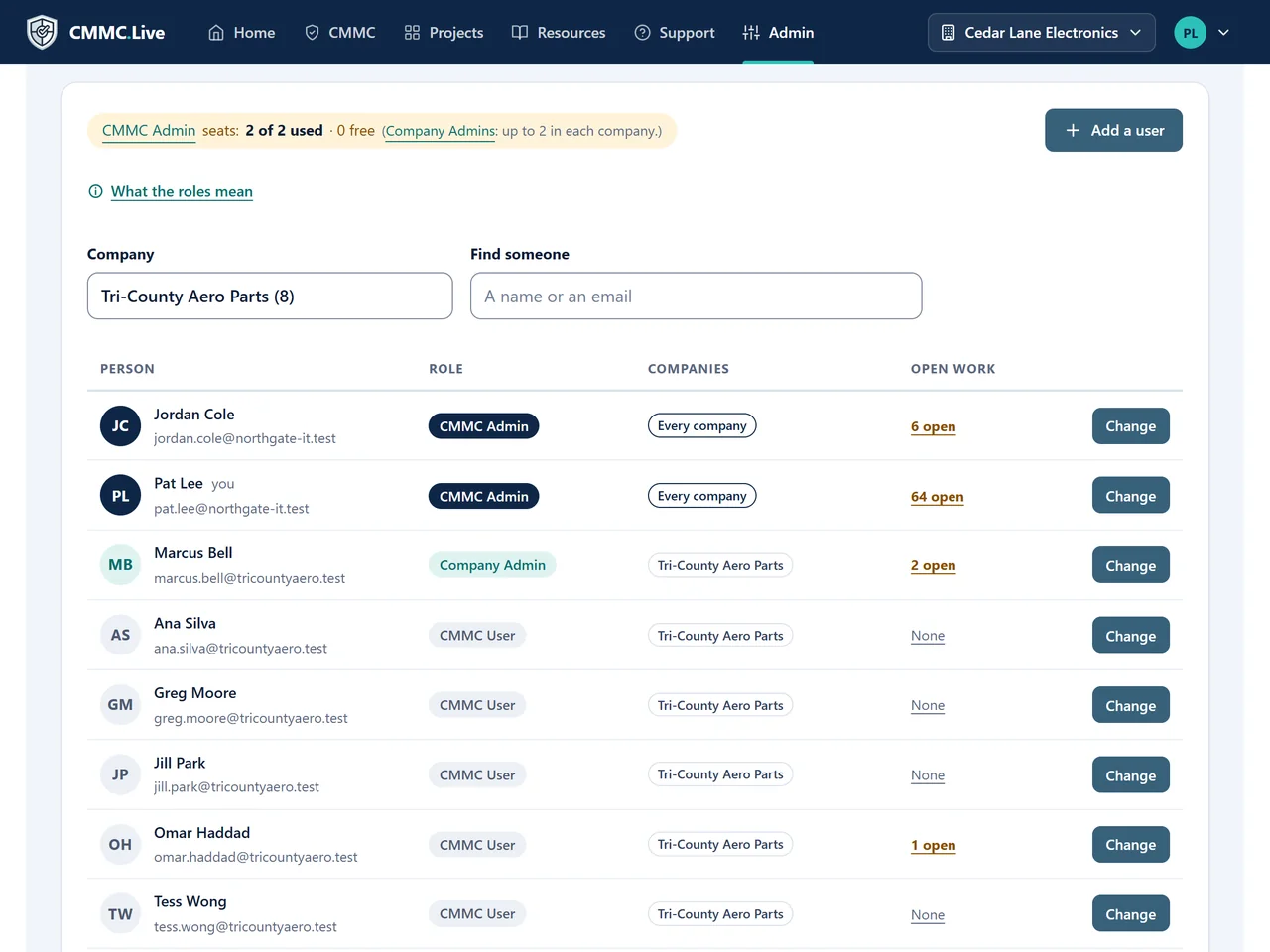
The Users page is one place for every account, with a company drop-down and the admin seats you have used. Open anyone’s work to see what is on their list.
| CMMC Admin | Your team. Runs every company. |
|---|---|
| Company Admin | The customer’s own admin. Runs their company and nothing else. |
| CMMC User | Anyone doing the work. Sees only what they are in charge of. |
Reports for your customers
Reports your customers can read.
Send each customer a company report, for Word and PDF, with their own logo on the cover. Run it for the last 30 days or for one month, so it works as your monthly update.
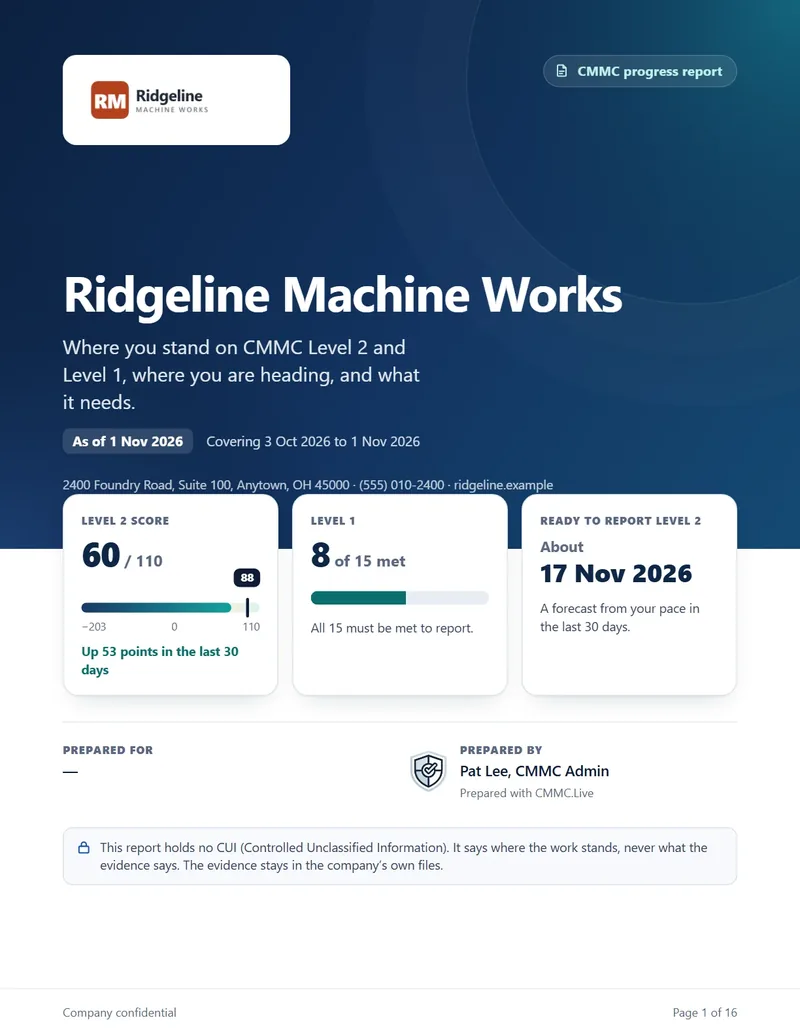
Company report
The whole picture for their leaders, with charts.
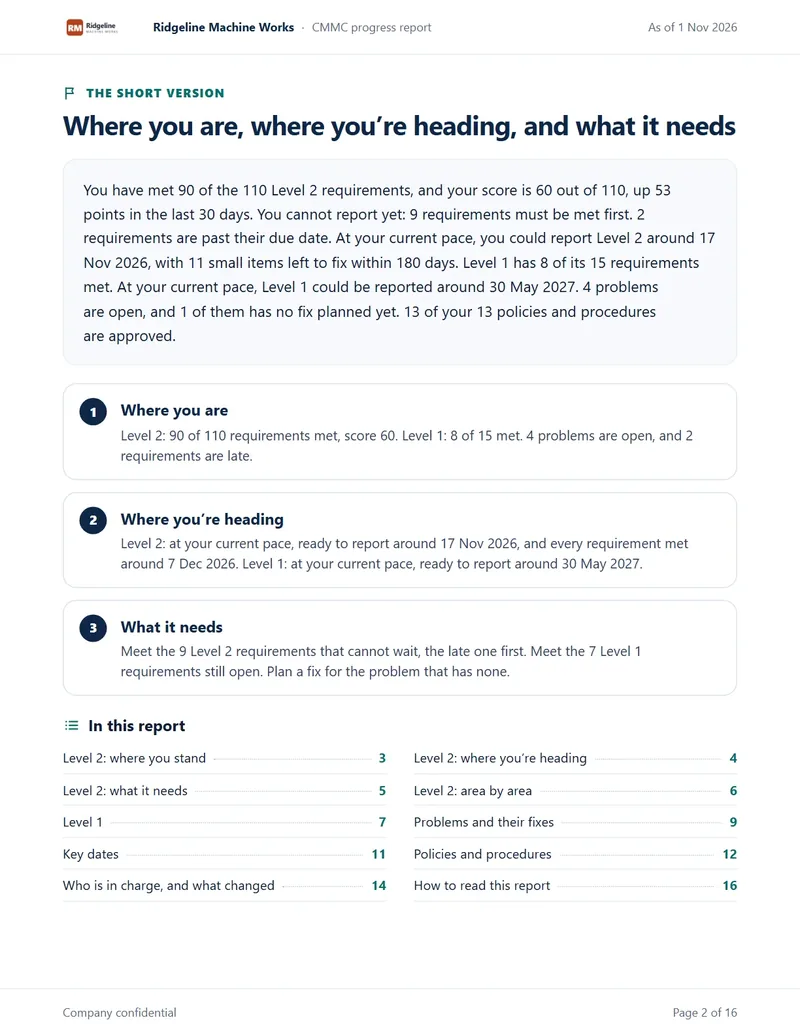
The short version
Where they are, where they are heading, and what it needs.
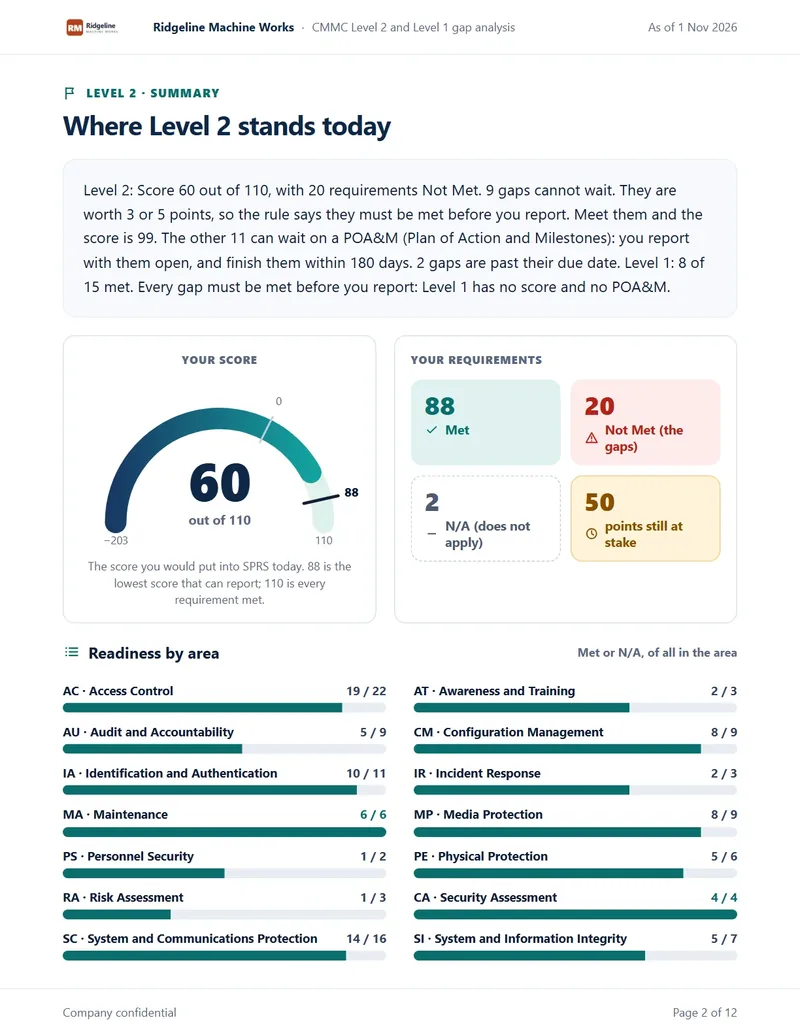
Gap analysis
What is left to do, area by area. Good for a first meeting.
Why it helps your business
Add CMMC to what you offer, without building it.
Your customers are being asked for CMMC, and many will come to you first. The work does not end at the first report: Keep current brings each requirement back when it is time to check it, so you stay involved year after year.
Your team
The customer relationship and the hands-on IT work.
CMMC.Live
The process, the plain words, the AI helper and the reports.
Our team
The hosting, the updates, two hours of training and live support.
Your Knowledge Base
Your know-how, in front of every customer.
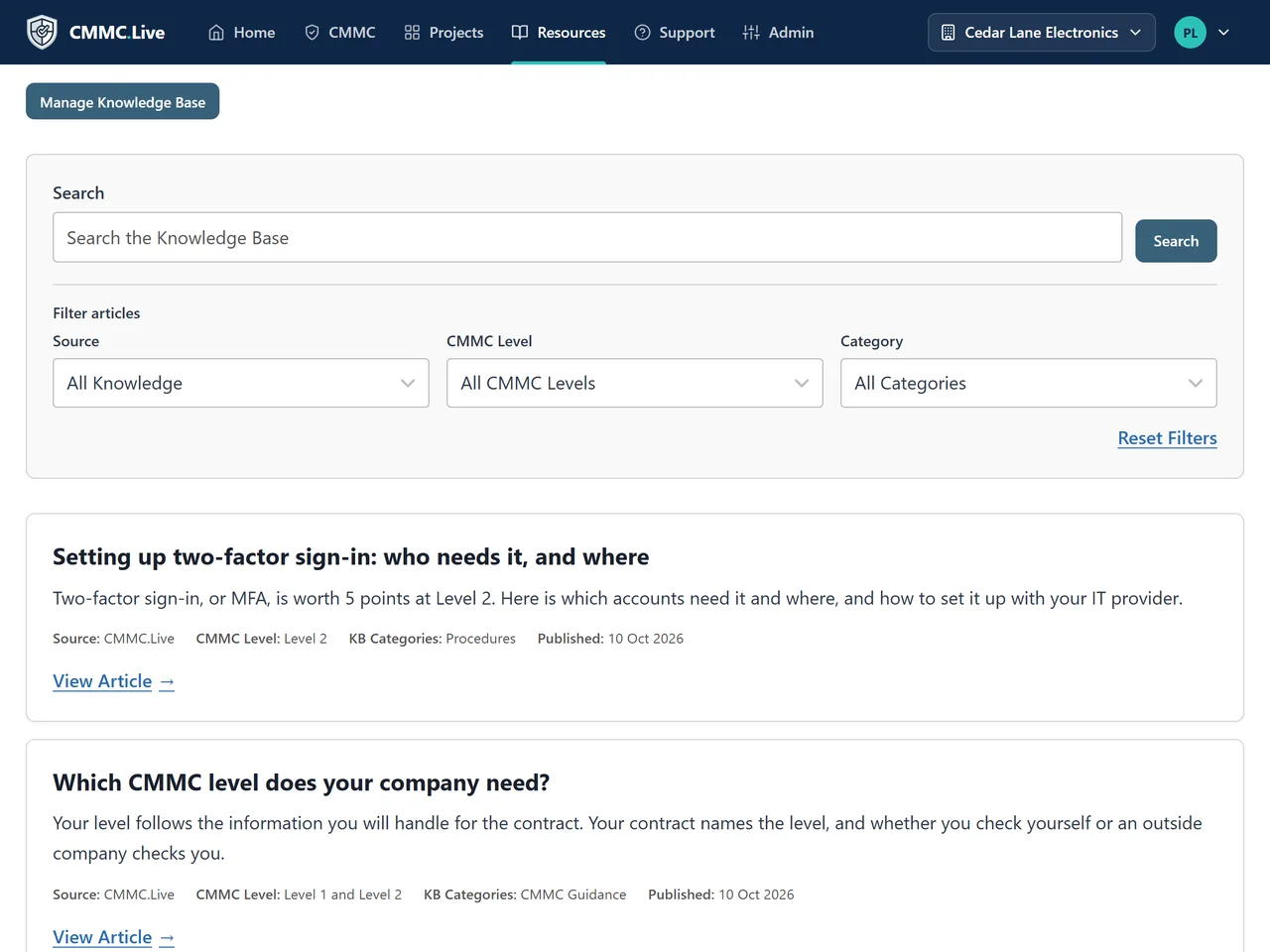
Write your own articles once, and every customer on your site can read them, right beside ours. Your setup guides and your way of doing things, where your customers do their work.
When a customer has one of your articles open, the AI helper reads it with them, so your guidance becomes part of the answer.
Practice and training
A demo company for every customer.
Each company comes with its own demo company, filled with sample work. Use it to show a customer how the work goes, or to train their people, without touching real work.
Plans for IT companies
The more companies, the less each one costs.
No setup fee, and no fee per user.
| 5 companies | $125 each | $625 a month |
|---|---|---|
| 10 companies | $99 each | $990 a month |
| 25 companies | $79 each | $1,975 a month |
More than 25 companies? Ask us
Every IT company plan includes
- 2 CMMC Admins, who run every company from one place
- 2 Company Admins in each customer company, limited to that company
- Unlimited CMMC Users
- Level 1 and Level 2 for every company
- A company report for each customer, with their logo
- Your own dedicated environment, hosted and kept up to date
- Two hours of training to get your team started
- Live support for your team, from your site or by phone
Can our customers see each other?
No. Each company’s work, people, reports and projects are kept apart. A customer’s people see only their own company.
Is it one site for all our customers?
Yes. An IT company plan has one site for all your customer companies, in its own dedicated environment. The app keeps each company separate.
Can a customer have its own admin?
Yes. A Company Admin runs that company and nothing else. Your plan includes 2 in each customer company, and more are $25 a month each.
Can one technician work for several customers?
Yes. One person can be in several companies, with a role in each, and sees only what they have been given.
Do we need to be CMMC experts?
No. Every requirement is in plain steps, checked against the official objectives. The AI helper answers from the official documents and shows the page. Training and live support are included.
Can we bring in a customer’s existing work?
Yes. A spreadsheet, a Trello export or a pasted table comes in. Nothing counts as met until someone confirms that requirement with one press.
Does CMMC.Live hold CUI?
No. Your customers keep their CUI and their evidence in their own approved storage. CMMC.Live records where it is kept.
Will our own company be in a customer’s assessment?
It can be. Under the CMMC rule, an IT company that handles CUI or security data for a customer can fall inside that customer’s assessment, and their SSP must list it. Ask your CMMC professional how it applies to you.
Are you an assessor?
No. We are not a C3PAO or a certified assessor. CMMC.Live is not a certification, and we never promise one.
Bring your team to a demo.
A short video call with a sample company. We show you how an IT company runs CMMC.Live. No cost, no obligation.