
How it works
A guided path from your first sign-in to your report, and beyond.
These are real CMMC.Live screens, shown with a sample company and made-up work. Your team uses the same screens for your own company.
Watch first
The whole journey in 78 seconds.
Press play for sound. The screens below show each part up close.
1 · Day one
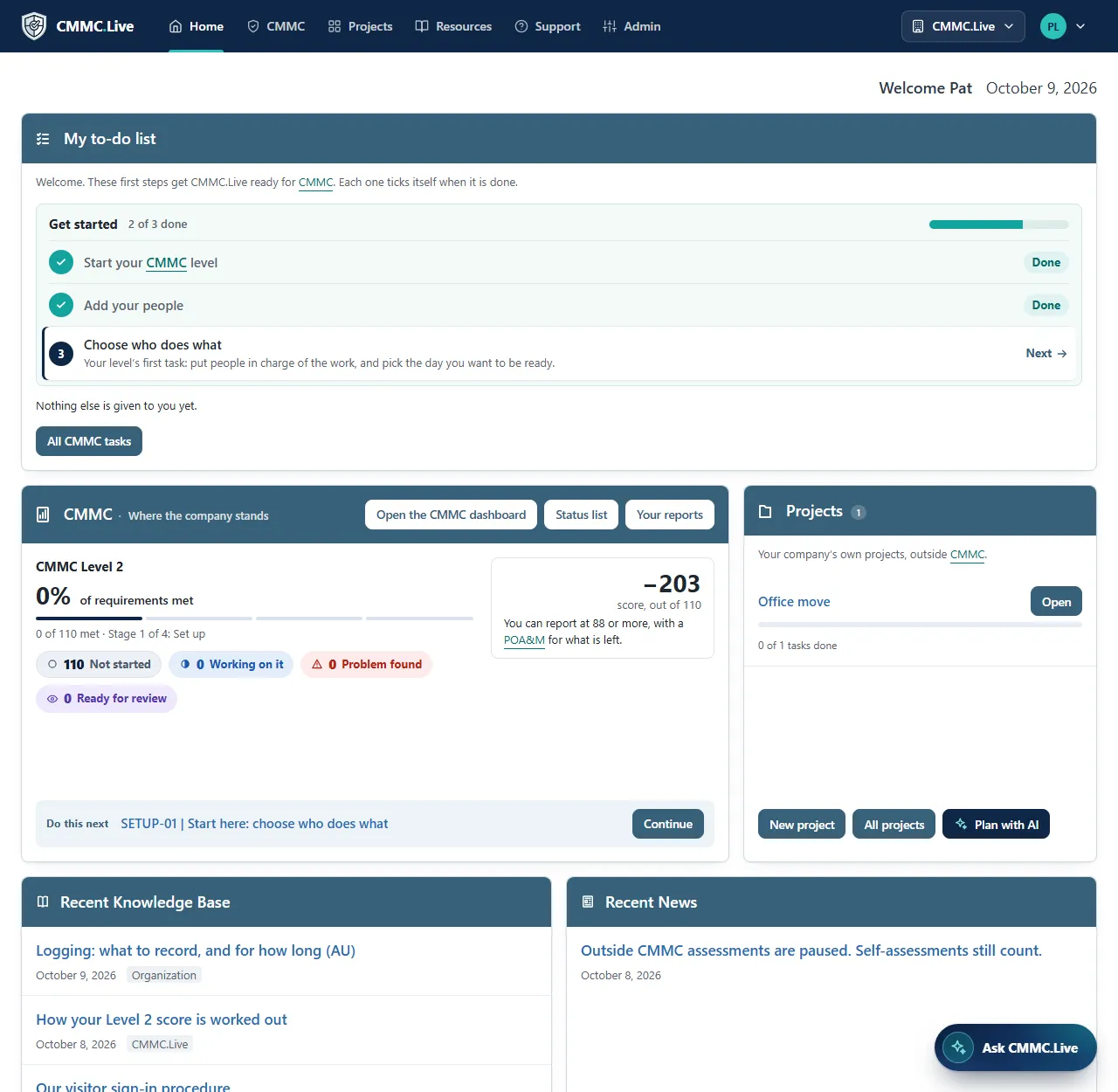
Three first steps, never an empty screen
Your admin signs in to a short list: start your CMMC level, add your people, and choose who does what. Each one ticks itself off when it is done.
Home then shows each person their own to-do list, the company’s progress, your projects, and the latest articles and news.
2 · One requirement, one page
Understand it, then do it
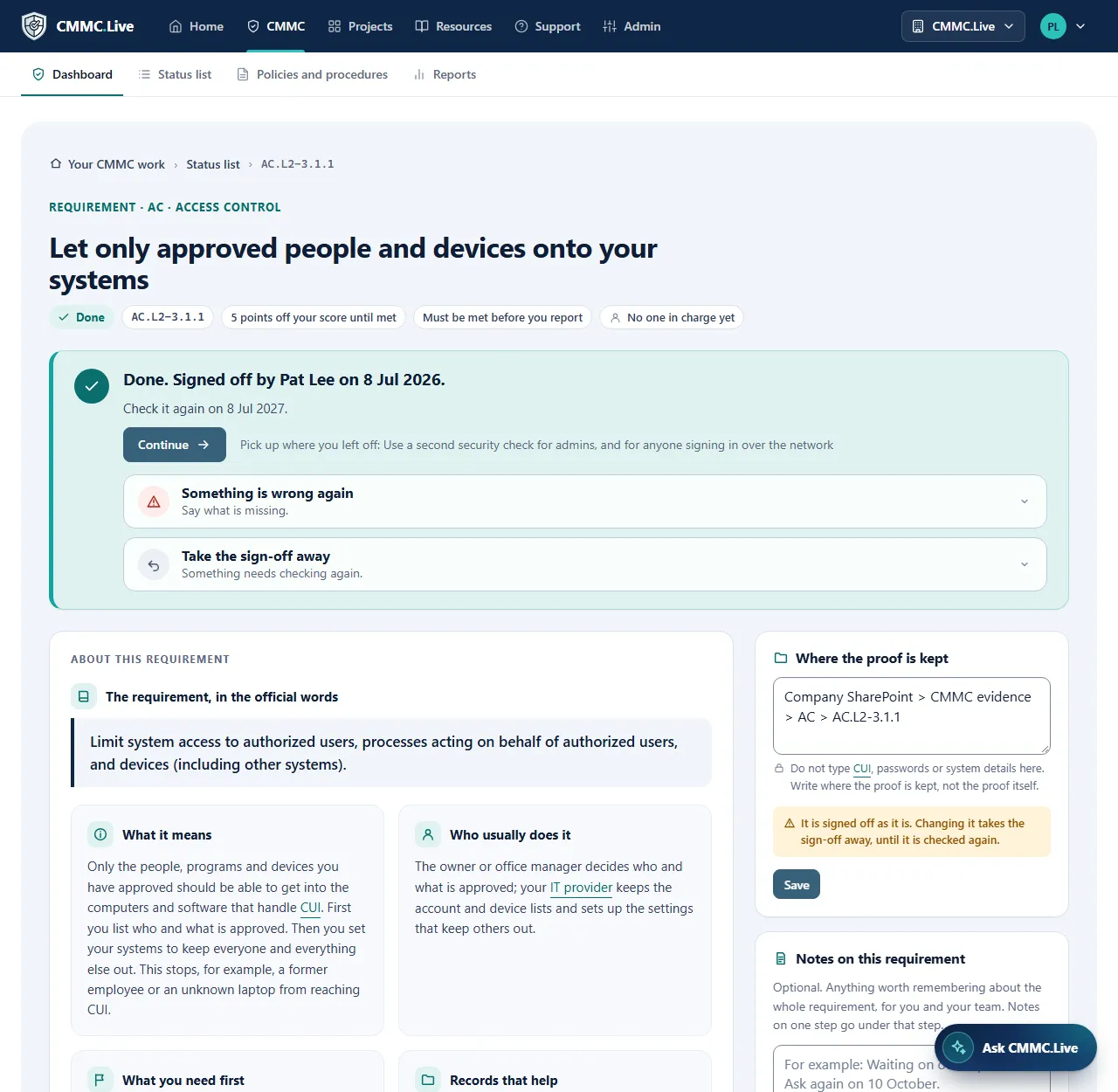
The official words, what they mean in plain English, who usually does the work, and what you need first. Then each step, answered on the same page.
Something not ready? Record the problem and the actions that fix it, with who and by when. Your admin signs it off once every step is answered.
3 · Where you stand
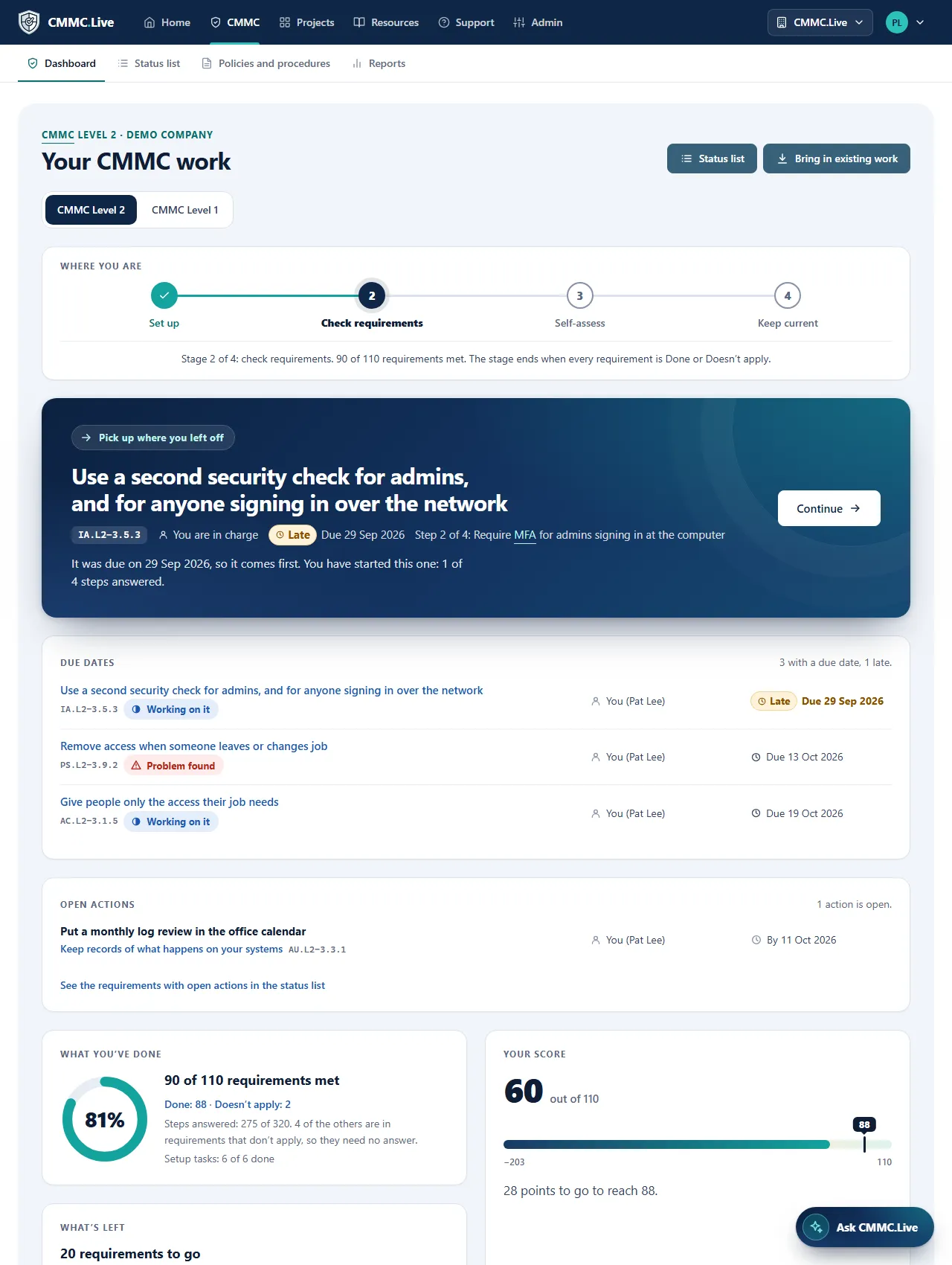
The next thing to do, always on top
The CMMC dashboard shows your stage, picks up where you left off with late work first, and lists due dates, open actions and your score.
The status list shows every requirement and its state. A CMMC User sees only the work given to them.
4 · Policies and procedures
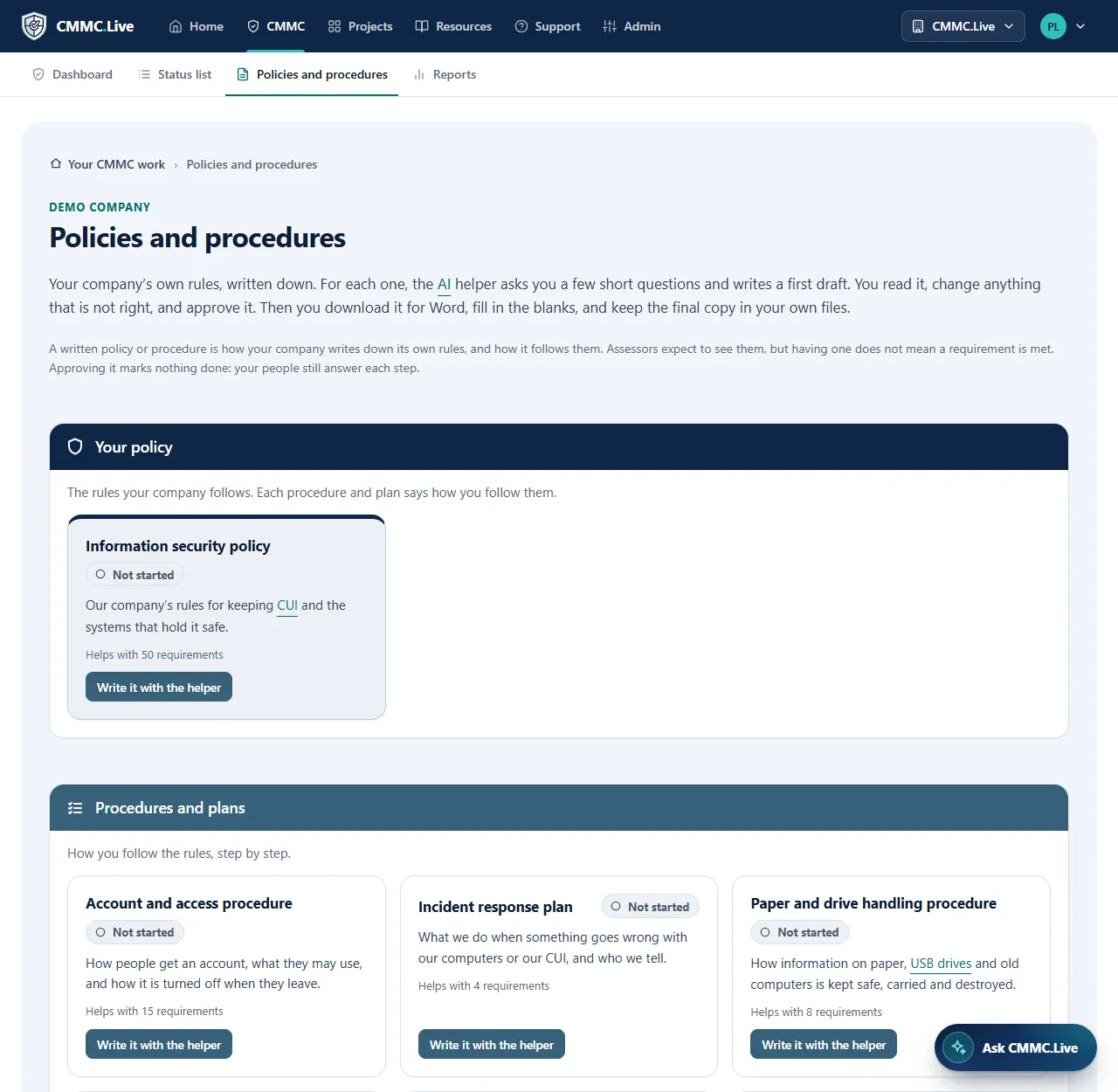
Written with you, approved by you
For each document, the AI helper asks a few short questions and writes a first draft. Anything not yet decided is left as a blank to fill in. You change it, approve it, and download it for Word.
When your managers decide a change, type it in your own words: the helper shows each line as it was and as it would be. Every version is kept, with who approved it and why.
5 · The AI helper
Ask the way you would ask a person
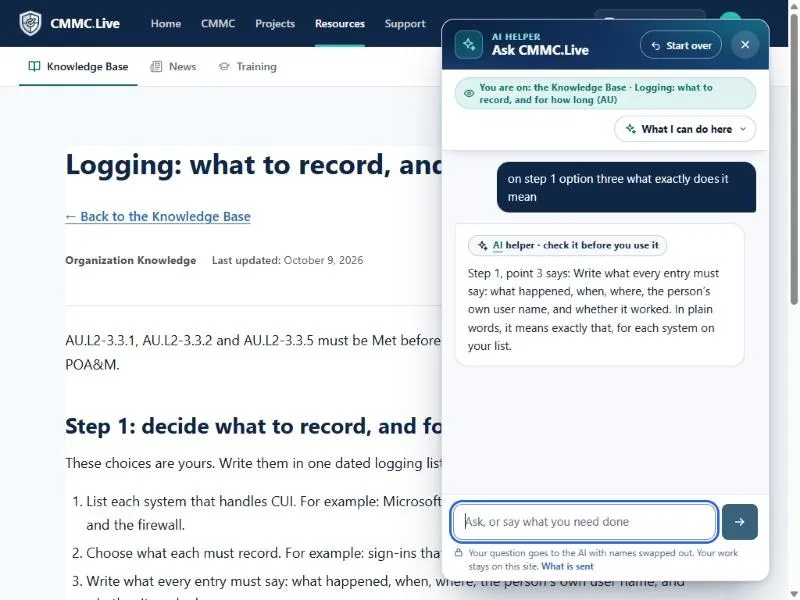
The helper is on every page and knows where you are. It answers CMMC questions from the official documents and names the page. It drafts the actions that fix a problem, writes a note with you, plans a project, and tidies your words.
It only does what you could do yourself on that page, and nothing is kept until you press to keep it.
6 · Reporting, and keeping it up
Everything you need when it is time to report.
SPRS answer sheet
Every item SPRS asks for, ready to type in.
POA&M
What is not met yet, and what may wait, within the rule’s limits.
SSP checklist and self-assessment record
What your System Security Plan needs, and the record of your answers.
Affirmation briefing
What your affirming official reads before confirming in SPRS.
Company report
The whole picture for your managers, with charts, for Word and PDF.
Yearly upkeep
Reminders for the yearly confirmation and the next assessment, and a fresh round that keeps last time’s answers as hints.
Who does what
Everyone sees what is theirs.
CMMC Admin
Runs the work: starts a level, gives each requirement to someone, signs work off and runs the reports.
CMMC User
Works on what they are in charge of, and sees only that.
More than one company
For an IT company with customers, or a parent with smaller companies: each company with its own people and its own admin. An extra.
See CMMC.Live in action.
Book a short video call. We walk you through CMMC.Live using a sample company, so you see every screen without sharing anything about yours. No cost, no obligation.